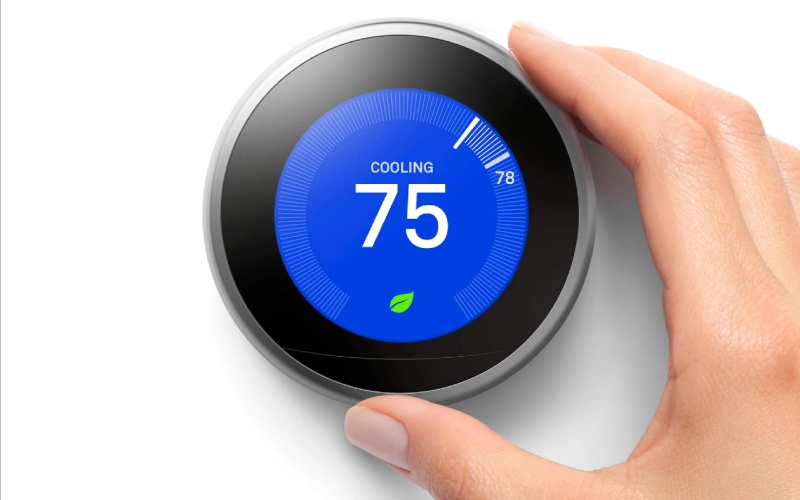
The thermostat is an integral component of several electronics. Unknown messages on its display can make users anxious. Messages like “Delayed” on Nest display are common, but generate curiosity amongst the users. If you also see the same message and want to know more about it, then you have arrived on the right page. In this article, we will discuss its causes, fixes, prevention tips, and more, so keep reading.
Also Read : How To Improve Indoor Air Quality Safely? Practical Tips And Easy Solutions
What Does “Delayed” Mean On A Nest Thermostat?
When you see the message “Delayed” on your Nest thermostat, it simply means the system is temporarily pausing before turning on heating or cooling. This delay generally lasts for 2-5 minutes and completes an important task, “protecting your HVAC compressor from short cycling”.
Short cycling means when a heating or cooling system turns on and off too quickly, which can cause internal components damage, especially in air conditioners and heat pumps. So in many cases, “Delayed” is a safety measure to protect devices.
Common Causes Of The Nest “Delayed” Message
Compressor Protection (Most Common Cause)
After your HVAC system shuts off, Nest mandates a short waiting period before restarting to protect the compressor from pressure imbalance and mechanical strain.
Low Battery Power
Nest thermostats operate on internal batteries. If power levels are too low, they may delay system activation.
Low battery causes include:
Inconsistent power from HVAC wiring
Loose connections
Older system compatibility issues
If you are facing this problem repeatedly, you should definitely check battery levels.
C-Wire (Common Wire) Issues
C-wire is an essential component for providing continuous power to smart thermostats. In their absence, Nest consumes power from the heating and cooling wires, which can result in:
Charging interruptions
Delayed activation
System instability
Systems without a dedicated C-wire are more prone to experiencing delay messages.
HVAC System Problems
In some cases, the delay message is the result of these issues in HVAC:
Tripped circuit breakers
Blown fuses
Faulty contactors
Wiring problems
Overheating components
If you experience the same issue for 5 minutes or more, then it is recommended to get the system checked by a professional.
Extreme Temperature Changes
Frequent temperature changes/adjustments can trigger system safeguards. Cases like:
Switching from cooling to heating quickly
Large manual temperature shifts
Nest may behave differently and start pausing before activating the system to prevent stress.
How To Fix The “Delayed” Message
As we have discussed, the common reasons behind the Delay error are. Let’s discuss the common solutions to this problem:
Wait a Few Minutes: Waiting for a few minutes, i.e., 5 minutes, is normal.
Check Battery Levels: Go to: Settings → Technical Info → Power.
If battery levels are low, solve it by:
Charging via USB
Improving wiring stability
Installing a C-wire
Inspect Wiring: First, turn off the power and then check the wires. Try to identify:
Loose connections
Corrosion
Improper installation
For this step, you can consult an HVAC technician.
Reset the Thermostat: Restart can resolve minor glitches.
Settings → Reset → Restart
Don’t opt for full factory resets unless necessary.
Check HVAC Breakers: Check HVAC breakers carefully and ensure no circuit breakers are tripped, and the system is receiving consistent power.
When To Call A Professional
Contacting an HVAC technician is recommended in cases like:
“Delayed” lasts longer than 10 minutes
The system never turns on
You hear unusual noises
There are repeated power errors
The thermostat frequently loses charge
How To Prevent Future Delays
Install a C-wire for stable power
Avoid rapid temperature switching
Maintain HVAC systems regularly
Replace aging components
Keep firmware updated
Routine maintenance is the key to consistent performance.
Is The “Delayed” Message Dangerous?
No, it is considered safe in most cases as it is a protective measure. However, if you see this message frequently or for a long time on the screen, then it can indicate:
Power instability
Wiring issues
Failing HVAC components
The important thing is to identify whether the issue is occasional or constant to treat it accordingly.
Frequently Asked Questions (FAQs)
How Long Should Nest Say “Delayed”?
Normally, the time range is 2-5 minutes.
Is Nest Broken If It Says Delayed?
No, in fact, it is protecting your HVAC system.
Can A Low Battery Cause Delays?
Yes, insufficient power can prevent immediate activation and cause delays.
Conclusion
The popular question “Why Does Nest Say Delayed?” is answered in this article with possible reasons. Commonly, due to these factors, we see this message. It is not an error message, but rather a system’s signal regarding battery issues, faults in internal mechanisms, and more. In this article, we discussed this in detail, sharing its common solutions and ways to prevent it. We hope you enjoyed reading this post and found it informative. If so, then do share this post with others as well.