Smart Kitchen Gadgets: Modern Conveniences in Everyday Appliances
Smart kitchen gadgets used to mean a handful of flashy showpieces, but the more interesting shift is happening in ordinary devices that rarely got any attention before. A toaster with a digital timer, a kettle that remembers a preferred temperature, a small display on an appliance that once had only a single dial — these changes are small on their own, yet together they show how quietly technology is working its way into daily routines. This piece looks at how that shift is unfolding, why kitchen appliances are part of it even in modest categories, and what actually matters when it’s time to replace something basic at home.
How Everyday Gadgets Are Getting Smarter
The clearest sign of this shift is not a single breakthrough device but a steady layering of small digital features onto tools that used to be purely mechanical. A thermostat that once had a dial and a bimetallic strip now often includes a screen, a schedule, and a way to check the temperature from another room. Lighting has gone through a similar change: a switch that used to just cut power now dims, changes color temperature, or responds to a set time of day. Neither of these examples reinvents what the device does. A thermostat still regulates heat, a light still illuminates a room. What changes is the layer of control sitting on top of the original function.
This pattern matters because it explains why so many “smart” upgrades feel incremental rather than revolutionary. The underlying mechanism — a heating element, a compressor, a filament or LED array — usually stays the same. What gets added is sensing and connectivity: a small processor reading a sensor, translating that reading into a number or a graph, and sometimes sending it to an app. The appeal is convenience and visibility rather than a fundamentally different way of heating a room or brewing coffee.
App-controlled small appliances follow the same logic. A coffee maker with a companion app doesn’t brew coffee any differently than one with a manual timer; it simply lets someone set the timer from a phone instead of a physical dial. The trade-off is worth naming honestly: added convenience usually comes with added complexity, another login, another firmware update, another point where something can fail. For a device used daily and expected to last many years, that trade-off deserves more thought than the marketing around “smart” features usually gives it.
Where Appliances Fit Into the Smart Home Trend
Kitchen appliances are very much part of this broader shift, though the smart features tend to arrive later and in smaller doses than in gadgets built around connectivity from the start. Large appliances have long product cycles and higher costs of failure, so manufacturers tend to add digital features cautiously, starting with the parts that are easiest to digitize: displays, temperature readouts, and basic scheduling.
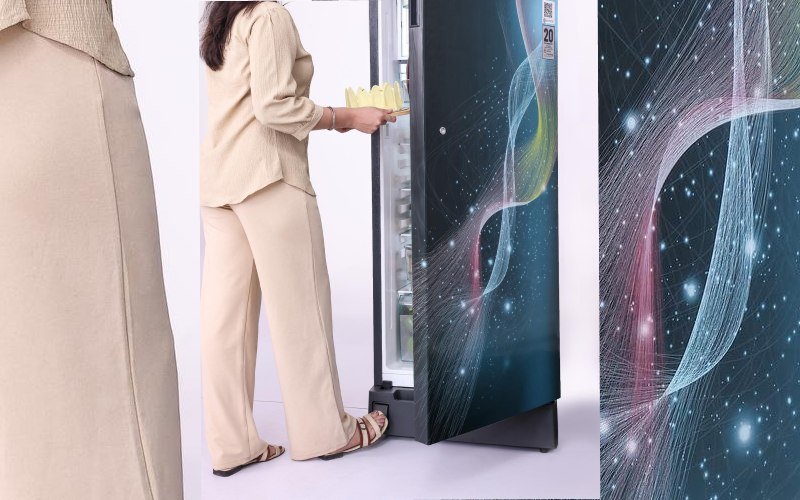
Refrigeration is a useful example of this cautious pace. A large side-by-side unit might get a full touchscreen and inventory tracking, while much smaller and simpler categories pick up far more modest upgrades. Even a compact single-door fridge increasingly appears with a basic digital temperature control instead of a purely mechanical dial, a small change that reflects the same underlying trend seen in thermostats and lighting rather than a dramatic redesign of what the appliance does. It’s one example among many appliance categories picking up minor technical refinements rather than becoming fully connected devices overnight.
On Liebherr single door fridges that shift shows up as iCoolTouch — a display for temperature and extra functions — and as HandsFree Opening, a foot pedal that opens the door when both hands are occupied.
This gradual pattern makes sense once the underlying economics are considered. A compressor-based cooling appliance is judged first on how consistently it holds a set temperature and how much it costs to run over years of use, not on how many features its display offers. Adding a digital readout is a relatively low-risk way to improve usability — it doesn’t touch the cooling mechanism itself, only how the user reads and sets the target temperature. That’s a very different kind of “smart” than an appliance built from the ground up around sensors and remote control, and it explains why even simple, infrequently replaced appliances are picking up digital touches without becoming complicated to operate.
What to Look for When Upgrading Basic Appliances
Reliability and efficiency deserve more weight than smart features when replacing an appliance that will likely stay in use for many years. A refrigerator, for instance, runs continuously in the background of a household, so its energy rating and the durability of its core mechanism affect daily costs and long-term satisfaction far more than whether it has a touchscreen or an app.
A useful way to think about this is to separate the appliance into two layers: the core mechanism that does the actual work, and the interface layer that lets a person control it. The core mechanism — the compressor, the heating element, the motor — is what determines how well the appliance performs its basic job and how long it lasts before something wears out. The interface layer is what makes it convenient or pleasant to use. Spending on the first layer tends to pay off through consistent performance and lower running costs, while spending on the second layer mostly buys convenience that may or may not still feel relevant several years down the line.
A short, practical way to prioritize when comparing options:
- Check the efficiency rating first, since it affects running costs for as long as the appliance is in service.
- Look at the build quality of moving or wearing parts, such as seals, hinges, or motors, since these tend to fail before electronics do.
- Treat digital displays and app connectivity as a bonus rather than a deciding factor, unless the added control genuinely solves a problem the household already has.
- Consider how the appliance behaves during a power interruption or a software glitch, since a purely mechanical fallback can matter more than an extra feature during a failure.
This ordering isn’t about dismissing digital features; it’s about recognizing that an appliance used every day for a decade or more earns its keep through consistency, not through novelty. A dial that still works perfectly after years of use has a kind of value that a flashier interface can’t replace if the underlying mechanism behind it is less dependable.
Frequently Asked Questions (FAQ)
Are smart features worth paying extra for in a basic appliance?
It depends on whether the feature solves a real, recurring inconvenience rather than adding novelty. For appliances used daily over many years, the underlying mechanism and its reliability usually matter more to long-term satisfaction than an added display or app.
Why do some appliance categories get smart upgrades before others?
Manufacturers tend to prioritize categories where digital features are easiest and least risky to add, such as displays and scheduling, while leaving the core mechanical function unchanged. Larger or higher-cost appliances often see these additions first, with smaller categories following at a slower pace.
Does a digital control always mean better performance?
Not necessarily. A digital temperature control changes how a setting is read and adjusted, but it doesn’t change the underlying cooling or heating mechanism. Performance still depends on the quality of that core mechanism, not on whether the interface is digital or mechanical.
Tagged: Smart Kitchen Gadgets