
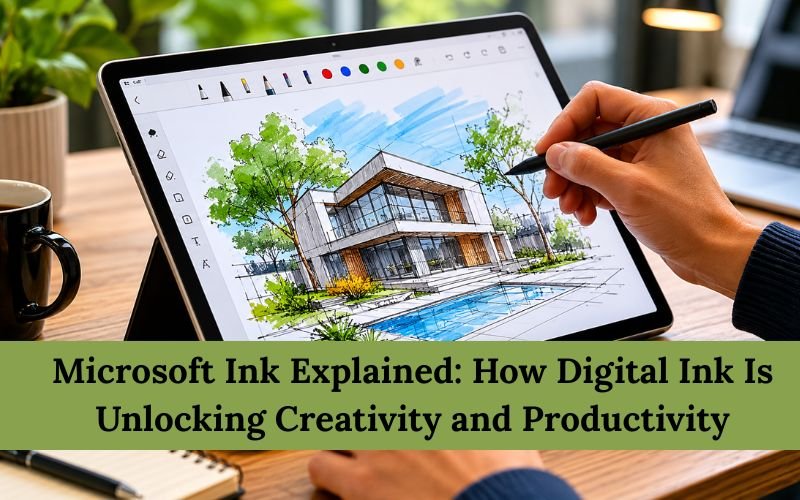
Earlier, people used to interact with their devices using keyboards and mice only. With time, many new modes are becoming popular, such as digital pens and styluses. As their adoption is increasing, they are becoming more accessible to users and becoming affordable. They are primarily used for writing, skating, annotating, and brainstorming.
Digital pens and styluses give a natural feeling of writing and interacting. They are the hardware, but its integral part is Microsoft Ink, Microsoft’s digital inking platform built into Windows. It is a collection of technologies that enables handwriting, drawing, note-taking, and pen input across compatible Windows devices.
What Is Microsoft Ink?
Microsoft Ink is Microsoft’s digital inking platform designed for Windows devices to facilitate the use of touchscreens and digital pens.
It allows users to:
-
Write naturally using a stylus
-
Draw sketches and diagrams
-
Annotate documents
-
Take handwritten notes
-
Mark up screenshots
-
Convert handwriting into digital text in supported apps
How Microsoft Ink Works
Microsoft Ink uses the combination of compatible pen hardware and Windows software, which lets it recognize digital handwriting and pen strokes.
The system supports features such as:
-
Pressure-sensitive drawing
-
Palm rejection technology
-
Handwriting recognition
-
Ink annotations
-
Digital highlighting
Key Features of Microsoft Ink
Natural Handwriting Experience
It replicates the feeling of natural writing with pen and paper. As a result, students and professionals feel more comfortable with note-taking.
Drawing and Sketching
Artists and designers can create:
-
Illustrations
-
Concept sketches
-
Flowcharts
-
Wireframes
Document Annotation
Microsoft Ink enables users to mark up:
-
PDFs
-
Screenshots
-
Presentations
-
Notes
Handwriting Recognition
It comes with an active handwriting recognition feature, which can convert handwritten notes into editable digital text.
Applications That Support Microsoft Ink
Microsoft Ink primarily works with these applications:
-
Microsoft OneNote
-
Microsoft Whiteboard
-
Snipping Tool
-
Microsoft Word
-
Microsoft PowerPoint
-
Microsoft Excel
Benefits for Students
Students often use Microsoft Ink for:
-
Lecture notes
-
Mathematical equations
-
Diagram creation
-
Study annotations
-
Brainstorming ideas
Benefits for Professionals
Professionals are also using digital ink for tasks like:
-
Meeting notes
-
Document reviews
-
Project planning
-
Design discussions
-
Client presentations
Benefits for Creative Users
Artists and designers also commonly use Microsoft Ink because it resembles natural creative workflows.
Creative applications include:
-
Digital painting
-
Storyboarding
-
UI design sketches
-
Illustration
-
Mind mapping
Does Microsoft Ink Require Special Hardware?
Yes, to use Microsoft Ink optimally, you should have:
-
A Windows device with touchscreen support
-
A compatible digital pen or stylus
Why Digital Ink Is Becoming More Important
Digital Ink is becoming a part of the daily schedule of many people due to hybrid work environments, remote learning, and digital collaboration. These applications increased the demand for ways of interacting with computers that feel more natural and convenient. Digital Ink fulfills this demand and provides an alternate way of attracting digital devices like computers.
Frequently Asked Questions (FAQs)
Is Microsoft Ink a Separate Application?
No, Microsoft Ink is a built-in Windows digital inking platform.
What Can You Do With Microsoft Ink?
You can use Microsoft Ink for various tasks like writing notes, drawing sketches, annotating documents, marking up screenshots, and more.
Do I Need a Stylus to Use Microsoft Ink?
It is not mandatory, but it is recommended to use a stylus with Microsoft Ink to experience its flow and smooth writing fully.
Conclusion
Microsoft Ink makes digital interaction more natural than other traditional input devices. It is not a new upgrade, but it is becoming more accessible and affordable in recent times, which is making it popular as it is useful for multiple people, such as students, professionals, creative people, and more. In this article, we discussed this topic in detail, and we hope you like reading about Microsoft Ink. If so, then do share your feedback with us.